
Download Banani – AI‑Powered UI Design Tool for Fast, Secure, Collaborative Workflows
Overview
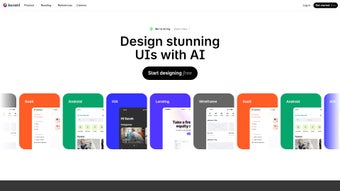
Banani is a cutting‑edge, AI‑driven web application that turns simple natural‑language prompts into fully‑realized user‑interface designs. By interpreting the intent behind a short sentence—such as “login screen for a fintech app with dark theme and rounded buttons”—the platform generates wireframes or high‑fidelity mockups in seconds. This speed‑first approach is built on a deep neural network trained on thousands of real‑world UI patterns, enabling it to respect layout hierarchy, color theory, and accessibility guidelines without any manual tweaking.
Banani’s core promise is to eliminate the repetitive grunt work of early‑stage design, allowing designers, product managers, and developers to focus on problem‑solving and iteration. Collaboration is baked in: multiple users can join a single canvas, leave comments, and watch changes in real time, which dramatically reduces the back‑and‑forth of traditional hand‑off tools. The platform also offers a curated library of industry‑standard screens, giving teams instant access to proven design solutions that can be cloned, customized, and exported.
Because Banani runs entirely in the browser, there is no need for local installations, and it works on any modern operating system—Windows, macOS, or Linux—through Chrome, Firefox, Safari, or Edge. Security is a top priority; all assets are stored in encrypted cloud storage with role‑based access controls and optional two‑factor authentication. Whether you are a solo freelancer looking to speed up client mockups or a large enterprise seeking to standardize UI creation across dozens of squads, Banani provides a secure, scalable, and future‑proof workflow that bridges imagination and implementation.
Core Features & Benefits
Feature List
- AI‑generated UI from plain‑text prompts – turn a single sentence into a complete screen.
- Natural‑language editing – modify colors, spacing, typography, and component types by typing commands.
- High‑fidelity output with one‑click export to Figma, Sketch, SVG, PNG, or PDF.
- Real‑time multiplayer canvas – collaborate with teammates instantly, with live cursor tracking.
- Versioned drafts and feedback tagging for streamlined approvals and design history.
- Curated inspiration library – browse thousands of industry‑standard screens, filter by industry, style, or device.
- Cross‑platform browser support – no downloads required, works on Windows, macOS, Linux, and Chrome OS.
- Secure cloud storage with end‑to‑end AES‑256 encryption for proprietary designs.
- Customizable tone and style presets to match brand guidelines, including dark mode, neumorphic, material, and minimalist.
- Auto‑layout suggestions powered by design best practices, such as grid alignment and responsive breakpoints.
- Integration with design systems – import JSON or YAML style guides to enforce brand consistency.
- API access for automated generation pipelines and CI/CD workflows.
Pros
- Lightning‑fast design generation cuts initial mockup time by up to 80 %.
- Intuitive natural‑language interface lowers the learning curve for non‑designers and speeds up iteration.
- Real‑time collaboration eliminates the need for separate hand‑off or commenting tools.
- Deep integration with Figma and Sketch ensures a smooth export workflow without losing vector fidelity.
- Robust security with encrypted cloud storage, role‑based permissions, and optional 2FA protects intellectual property.
- Extensive library of pre‑built screens provides instant inspiration and reduces reinventing the wheel.
- API and webhook support enable seamless integration into existing product pipelines.
Cons
- AI output may require fine‑tuning for highly complex interactions or custom animations.
- Dependence on a stable internet connection; offline work is currently not supported.
- Advanced customization beyond preset styles can still demand manual adjustments in a design tool.
- Pricing tiers can be steep for freelancers or small agencies with limited budgets.
- Mobile browsers provide a viewing‑only experience; full editing is best on desktop or laptop.
- Learning curve for uploading and mapping custom design‑system files.
Installation, Usage & Compatibility
Getting Started – No Installation Required
Banani lives entirely in the cloud, so there is nothing to download or install. To start, visit banani.io, click the “Start Designing” button, and create a free account using an email address or single‑sign‑on (SSO) via Google, Microsoft, or Apple ID. After verifying your email, you are taken to a clean dashboard where you can launch a new project, explore the inspiration library, or review recent drafts.
Step‑by‑Step Workflow
- Define Your Prompt: Type a concise description, for example, “E‑commerce product page with carousel, dark theme, and call‑to‑action button.”
- Select a Style Preset: Choose from Minimalist, Material, Neumorphic, or let Banani infer the style from your prompt.
- Generate the UI: Press “Create” and watch the AI render a wireframe in under five seconds. Toggle between wireframe and high‑fidelity view.
- Edit Using Natural Language: Issue commands such as “Make the primary button larger” or “Change the background to #1A1A1A.” The canvas updates instantly.
- Collaborate in Real Time: Invite teammates by email; they appear on the same canvas with live cursors, comments, and version control.
- Export Your Design: Click “Export” and select Figma, Sketch, SVG, PNG, or PDF. Exports retain layers, typography tokens, and color variables.
- Save & Version: Every change is automatically saved. Use the timeline view to revert to earlier drafts or compare iterations side‑by‑side.
- Integrate with Your Design System: Upload a JSON/YAML style guide, and Banani will automatically apply your brand colors, fonts, and component specifications to generated screens.
System Requirements & Compatibility
Because Banani runs in the browser, it is compatible with any modern operating system that supports Chrome, Firefox, Safari, or Edge. Minimum requirements include:
- CPU: Dual‑core 2 GHz or higher
- RAM: 4 GB (8 GB recommended for large collaborative sessions)
- Internet: Broadband connection with at least 5 Mbps upload/download speed
- Browser: Latest version of Chrome, Firefox, Safari, or Edge with JavaScript enabled
FAQ & Conclusion – Why Banani Belongs in Your Design Toolkit
Can Banani generate mobile‑first designs?
Yes. By specifying device details in your prompt (e.g., “iPhone 14 portrait layout”), Banani automatically adapts the UI to mobile dimensions, applying appropriate touch targets, spacing, and responsive breakpoints.
How does Banani protect my design data?
All projects are stored in encrypted cloud storage using AES‑256 encryption. Access is controlled via role‑based permissions, and two‑factor authentication can be enabled for added security.
Is there a free tier, and what are its limits?
Banani offers a free plan that allows up to three projects per month, 10 AI generations, and basic collaboration for up to two teammates. Premium plans unlock unlimited projects, higher generation caps, and advanced export options.
Can I integrate Banani with existing design systems?
Absolutely. Banani lets you upload a JSON or YAML style guide, which the AI then uses to match colors, typography, and component libraries, ensuring generated screens adhere to your brand standards.
What support channels are available for paid users?
Paid subscribers receive priority email support, a live chat widget inside the app, and access to an exclusive community forum where product engineers host monthly Q&A sessions.
Banani redefines early‑stage UI design by turning natural language into pixel‑perfect screens in seconds. The combination of AI speed, real‑time collaboration, and secure cloud storage makes it a practical choice for freelancers, agencies, and large enterprises alike. While occasional manual refinement is required for highly complex interactions, the overall time saved on mockups is undeniable. If you are looking for a tool that blends AI efficiency with collaborative flexibility, Banani offers a secure, future‑ready solution that integrates seamlessly with your existing workflow. Download Banani today, start a free trial, and experience how AI can accelerate your design process.
Banani impresses with rapid AI‑driven generation and an intuitive natural‑language editor. The collaborative canvas feels native, and the export pipeline to Figma works flawlessly. Minor drawbacks include reliance on internet connectivity and premium pricing for freelancers, but overall it’s a strong addition to any designer’s toolkit.



.png)



